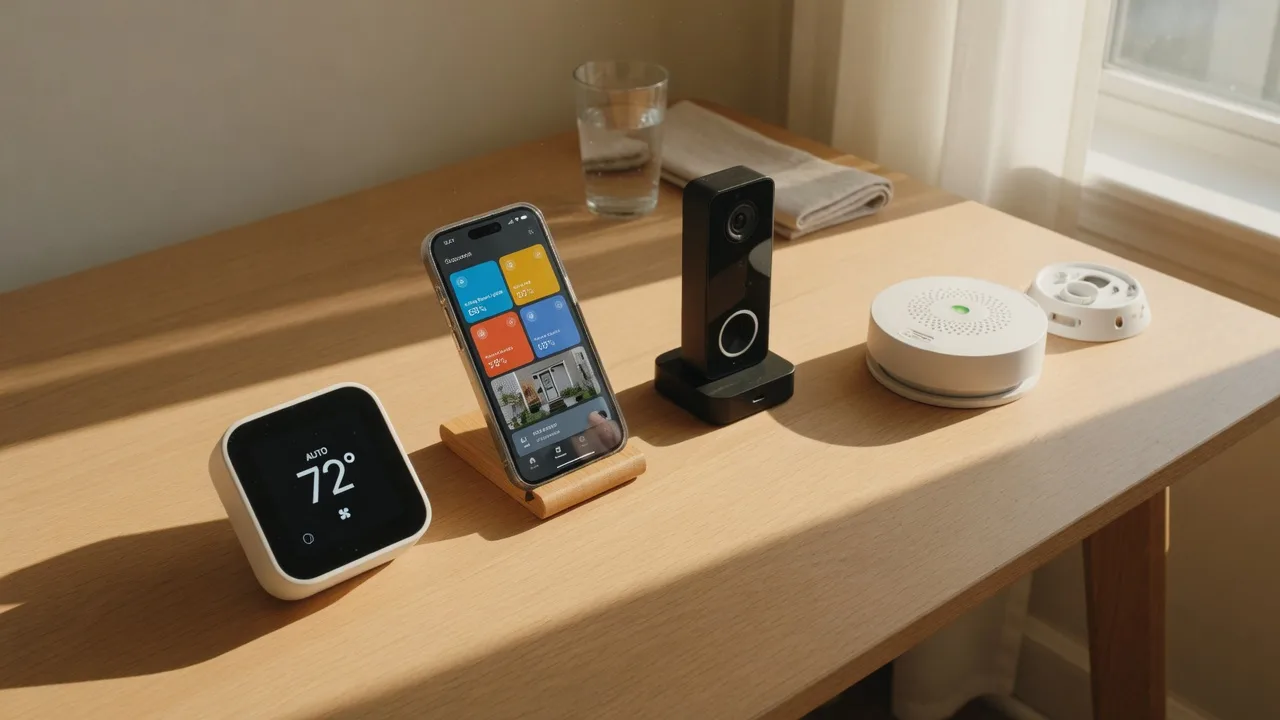
Smart Home Setup Guide
for New Homeowners
Your new home is a blank canvas for smart technology. From thermostats that save on energy bills to leak detectors that prevent costly damage, here is everything you need to build a smarter, safer, more efficient home.
You just bought a home and somewhere in the back of your mind, you are thinking about making it smarter. Not just cooler or more convenient, but actually smarter: devices that save you money, protect your home, and make daily life a little bit easier.
The world of smart home technology can feel overwhelming. There are dozens of brands, competing platforms, and confusing specs. But it does not have to be complicated. The key is to start with the devices that deliver the most value and build from there, one room at a time.
This guide walks you through every category of smart home device worth considering for your new home, with honest advice on what matters, what does not, and how to make everything work together. Whether you are building a complete smart home system from scratch or just want to start with one smart thermostat, you will find practical guidance here.
And since you are a South Jersey homeowner, I have included information on local utility rebates and climate-specific considerations. Our summers are humid, our winters can be harsh, and every bit of energy efficiency helps.
Smart Thermostats: The Best Place to Start
If you only buy one smart home device, make it a smart thermostat. It is the single device that delivers the biggest return on investment through energy savings, and it is relatively easy to install and set up.
The two most popular brands are Nest (by Google) and Ecobee. Both learn your schedule and preferences over time and automatically adjust the temperature to save energy when you are away. Nest focuses on learning your habits through its Auto-Schedule feature, while Ecobee uses room sensors to detect occupancy and temperature in individual rooms. Both work well for South Jersey homes, and the choice often comes down to which interface you prefer.
A smart thermostat typically saves 10 to 15 percent on heating and cooling costs. For the average South Jersey home with combined gas and electric bills of about $200 per month, that is $240 to $360 per year in savings. With a thermostat costing $150 to $250, it pays for itself in less than a year.
South Jersey Utility Rebates
This is where it gets even better. Both PSE&G and Atlantic City Electric offer rebates for qualifying smart thermostats. The rebate is typically $50 to $100 per thermostat and is applied as a credit on your utility bill after purchase. You buy the thermostat from any retailer, submit your receipt through the utility website, and receive the rebate within a few weeks. Some utilities also offer discounted thermostats directly through their online marketplace.
Before you buy, check the PSE&G Marketplace or Atlantic City Electric rebate page to see what is currently offered. The rebate programs change periodically, and you do not want to miss the window.
Installation Tips
Most smart thermostats are designed for DIY installation and include clear instructions. You will need to turn off power to your HVAC system at the breaker, remove the old thermostat, label the wires, connect them to the new base, and mount the thermostat. The whole process takes about 30 minutes. If your home does not have a C-wire (common wire that provides constant power to the thermostat), you may need an adapter or a professional installation. Before buying, check the thermostat compatibility tool on the manufacturer website to see if your system is compatible. If you are not comfortable with electrical work, a licensed HVAC technician can install the thermostat in about an hour.
Smart Locks and Garage Door Controllers
After moving into your new home, you should change the locks on all exterior doors. A smart lock takes this one step further by letting you control access from your phone and create temporary codes for guests, contractors, and service providers.
Smart locks come in two main styles: replacement locks that replace your entire deadbolt, and retrofit locks that attach to your existing deadbolt. Brands like August, Schlage, and Yale offer reliable options at different price points. Look for locks with built-in Wi-Fi or Z-Wave connectivity so you can control them remotely without needing a separate hub.
For the garage, a smart garage door controller like the Chamberlain MyQ or Tailwind lets you open and close the garage door from your phone, set schedules, and receive alerts when the door is left open. This is especially useful if you are like me and have driven away wondering whether you remembered to close the garage door. With a smart controller, you can check and close it from anywhere.
One of the most practical features of smart locks is temporary codes. When a house cleaner, pet sitter, or contractor needs access, you can create a code that works only during specific hours on specific days. When the work is done, the code expires. No more hiding keys under the doormat or rushing home to let someone in. For your own use, you never need to carry house keys again.
Smart Smoke and Carbon Monoxide Detectors
Every home needs working smoke and carbon monoxide detectors. Smart detectors add the ability to alert your phone when the alarm goes off, even when you are not home. This is a feature you hope you never need, but when you do, it can be the difference between a minor incident and a catastrophic loss.
The Nest Protect is the most popular smart smoke and CO detector. It uses a split-spectrum sensor to detect both fast-burning and smoldering fires, and it speaks to you in a calm voice rather than just beeping. It tells you which room the alarm is in and what type of danger it detected. When you are away from home, the Nest app sends a push notification to your phone so you can check on your home and call the fire department if needed.
Smart detectors are more expensive than standard ones, typically $100 to $150 per unit compared to $20 to $40 for basic detectors. But they offer significant advantages: fewer false alarms (the Nest Protect knows the difference between cooking smoke and a real fire), phone alerts when you are away, and self-testing that tells you when the battery is low or the sensor is failing.
Install at least one smart smoke and CO detector on every level of your home, including the basement and outside sleeping areas. Replace all detectors every 10 years, regardless of whether they appear to be working. The sensors degrade over time, and an old detector may not detect a fire even if it passes the test button.
Security Cameras and Video Doorbells
A video doorbell is one of the most popular smart home devices for good reason. It lets you see and speak to anyone at your front door from anywhere in the world. Whether you are at work, on vacation, or just upstairs, you can see who is ringing the bell and decide how to respond.
Ring and Arlo are the most recognizable brands, but there are many quality options at various price points. A basic video doorbell costs about $100 to $200, while a full security camera system with multiple cameras can run $300 to $800 or more. Most video doorbells require a subscription for cloud storage of recorded video, typically $3 to $10 per month per device.
For outdoor security cameras, consider where you need coverage most: the front door, back door, driveway, and garage are the most important areas. Look for cameras with 1080p or higher resolution, night vision, motion detection, and two-way audio. Some cameras are battery-powered and easy to install, while others are wired and require professional installation. Battery cameras are simpler to set up, but you need to recharge or replace the batteries every few months.
A note on privacy: if your cameras face a neighbor's property or a public sidewalk, be mindful of where they are pointed. In New Jersey, it is legal to record video on your own property, but audio recording laws are stricter. Most video doorbells and cameras include an option to disable audio recording if needed. Let your neighbors know you have installed cameras as a courtesy. It is better to have friendly neighbors than hidden cameras.
Smart Lighting for Every Room
Smart lighting is the most accessible entry point into home automation. Smart bulbs and plugs cost as little as $10 each and can be installed in seconds. They let you control lights from your phone, set schedules, and create scenes that adjust the lighting for different activities and times of day.
The simplest solution is a smart bulb that screws into any standard light fixture. Brands like Philips Hue, LIFX, and Wyze offer bulbs that connect to your Wi-Fi or a hub and can be controlled individually or grouped by room. You can dim them, change their color temperature (warm light for evenings, cool light for mornings), and set them to turn on and off automatically.
Smart plugs are even simpler. Plug a lamp or small appliance into a smart plug, and you can control it from your phone or set a schedule. They are great for lamps, coffee makers, fans, and holiday lights. A smart plug costs about $10 to $20 and is the easiest way to dip your toe into home automation without replacing any fixtures.
The biggest benefit of smart lighting is energy savings. LED smart bulbs use about 80 percent less energy than incandescent bulbs, and the ability to turn lights off remotely means you never leave lights on by accident. Set up "away" scenes that turn off all the lights when you leave and turn on a few lights when you are on vacation to make the home look occupied. Over a year, the energy savings from smart lighting can offset the initial cost of the bulbs.
Creating Routines and Scenes
The real magic of smart lighting happens when you combine multiple lights into scenes and routines. A "Good Morning" scene can slowly brighten the bedroom lights, turn on the kitchen lights, and start the coffee maker. A "Goodnight" scene can turn off all the lights, lock the doors, and set the thermostat to sleep mode. Most smart home apps make this easy to set up, and once configured, it becomes a habit you will not want to live without.
Smart Water Leak Detectors
Water damage is one of the most common and most expensive home insurance claims. A burst pipe, a leaking water heater, or a slow drip behind a wall can cause thousands of dollars in damage before you even know it exists. Smart water leak detectors give you an early warning system that can save you tens of thousands of dollars.
These small sensors sit on the floor near potential water sources and send an alert to your phone when they detect moisture. Place them near water heaters, washing machines, dishwashers, refrigerators with ice makers, under sinks, and near toilets and sump pumps. Some sensors also monitor temperature and humidity, alerting you if pipes are at risk of freezing.
More advanced systems like the Moen Flo or Phyn Plus attach directly to your main water line and monitor flow. They can detect even tiny leaks, track water usage, and automatically shut off the water if a catastrophic leak is detected. These systems cost $300 to $500 plus installation, but they offer the highest level of protection. For South Jersey homeowners, where frozen pipes are a real risk during January and February, an automatic shutoff valve is worth every penny.
A basic starter pack of three water leak sensors costs about $50 to $80. Compare that to the average water damage claim of $10,000 or more. Even a basic sensor that alerts you to a leak under the kitchen sink can prevent a claim that would cost you your insurance deductible and raise your premiums for years. This is one area where the cheapest option is still a great investment.
Integration: How Devices Work Together
The real power of a smart home is not in individual devices but in how they work together. When your smart lock triggers your lights to turn on, your thermostat to adjust, and your security camera to start recording, that is when the technology becomes truly useful.
Most smart home devices can be integrated through voice assistants (Amazon Alexa, Google Assistant, Apple Siri) or through smart home platforms like Samsung SmartThings, Hubitat, or Home Assistant. The key is to choose devices that are compatible with the platform you want to use. Before buying any device, check the compatibility list for your preferred voice assistant or hub.
The Matter Standard
A new universal standard called Matter is changing the smart home landscape. Matter is a collaboration between Apple, Google, Amazon, Samsung, and hundreds of other companies to create a single standard that all smart home devices can use. Devices that support Matter work together regardless of brand, without needing proprietary hubs or complicated setup. If you are buying new smart home devices, look for the Matter logo. It is the closest thing to a guarantee that your devices will work together now and in the future.
Example Automations Worth Setting Up
When your phone approaches home, the lock unlocks, the lights turn on, and the thermostat adjusts to your preferred temperature. When you leave, everything turns off and the lock engages automatically.
A single voice command or button press locks all doors, turns off all lights, sets the thermostat to sleep temperature, and arms the security system.
When a water leak sensor detects moisture, it sends an alert to your phone, triggers a smart plug to turn off a nearby appliance, and if you have an automatic shutoff valve, it closes the main water supply.
When you go on vacation, the lights turn on and off at random intervals to make the home look occupied, the thermostat goes into eco mode, and you receive alerts for any unusual activity from cameras or sensors.
Starter Kit vs. Whole-Home Setup
One of the most common questions I hear from new homeowners is how much they should spend on a smart home setup. The answer depends entirely on your goals and budget. Here is what each tier looks like.
Budget-Friendly Starter Kit
Total cost: approximately $250 to $400
- One smart thermostat (Nest or Ecobee) -- $150 to $250
- One video doorbell (Ring or Wyze) -- $60 to $100
- Two smart plugs for lamps ($10 to $20 each)
- Two water leak sensors ($15 to $25 each)
This setup covers energy savings, security, basic automation, and leak protection. It is the smartest way to start without spending too much.
Whole-Home Setup
Total cost: approximately $1,000 to $2,500
- Smart thermostats for each zone (2 to 3 zones) -- $300 to $500
- Smart locks on all exterior doors (2 to 3 doors) -- $400 to $600
- Smart smoke/CO detectors on every level (3 to 4 units) -- $300 to $500
- Video doorbell plus 2 outdoor security cameras -- $300 to $600
- Smart lighting in living areas and exterior (10 to 15 bulbs) -- $150 to $300
- Water leak sensors at every risk point (6 to 8 sensors) -- $100 to $150
- Smart garage door controller -- $50 to $100
This setup covers every major category and gives you full control and automation throughout your home. Most homeowners do not need everything on this list. Pick the items that matter most to you.
Smart Home Pro Tips
Small habits and decisions that make a big difference in your smart home experience.
Frequently Asked Questions
Honest answers to the questions new homeowners ask most about smart home technology.
Do smart home devices really save enough energy to pay for themselves?
Are smart locks safe from hacking?
Can I install smart home devices myself or do I need a professional?
What is a smart home hub and do I need one?
How do South Jersey utility rebates work for smart thermostats?
What is the best smart home device to start with as a new homeowner?
Key Takeaways
Start with a smart thermostat. It delivers the biggest energy savings and pays for itself within the first year. Check South Jersey utility rebates to save even more.
Add security devices next: smart locks, video doorbells, and water leak detectors. These protect your home and give you peace of mind.
Build slowly. Install one device, learn its app, and then add the next. Trying to do everything at once leads to frustration.
Look for the Matter logo on new devices. It is the universal standard that ensures your devices work together regardless of brand.
Water leak detectors are the cheapest insurance you can buy. Place them near every potential water source and let the alerts do the work.
Suggested Related Articles
These guides and resources will help you continue building your homeowner knowledge.
Energy Efficiency Upgrades That Pay for Themselves
Discover energy-saving upgrades for your South Jersey home, from insulation and windows to heat pumps and NJ rebates.
Read ArticleYour First 30 Days as a Homeowner
A day-by-day guide to your first month of homeownership, from changing locks to finding trusted service providers.
Read ArticleUtility Costs: How to Lower Your Monthly Bills
South Jersey utility providers, energy efficiency tips, water conservation, NJ Clean Energy rebates, and seasonal strategies.
Read ArticleNot sure which smart home setup is right for you?
Ask Bob. I am here to help you make confident decisions about your home, no pressure, no sales pitch.